10/26/2026
A Live Score on Your Game Stream, Without Typing It
Short answer: you can put a live, accurate score on a school game stream without anyone typing it by pointing a camera at the scoreboard and letting software read it. That is what High Score Live does, and it is coming soon from Next Day Videos. Until then, the working options are a typed overlay (KeepTheScore is one) or a data device on a supported scoreboard controller (ScoreBird sells one), and the table below says which fits.
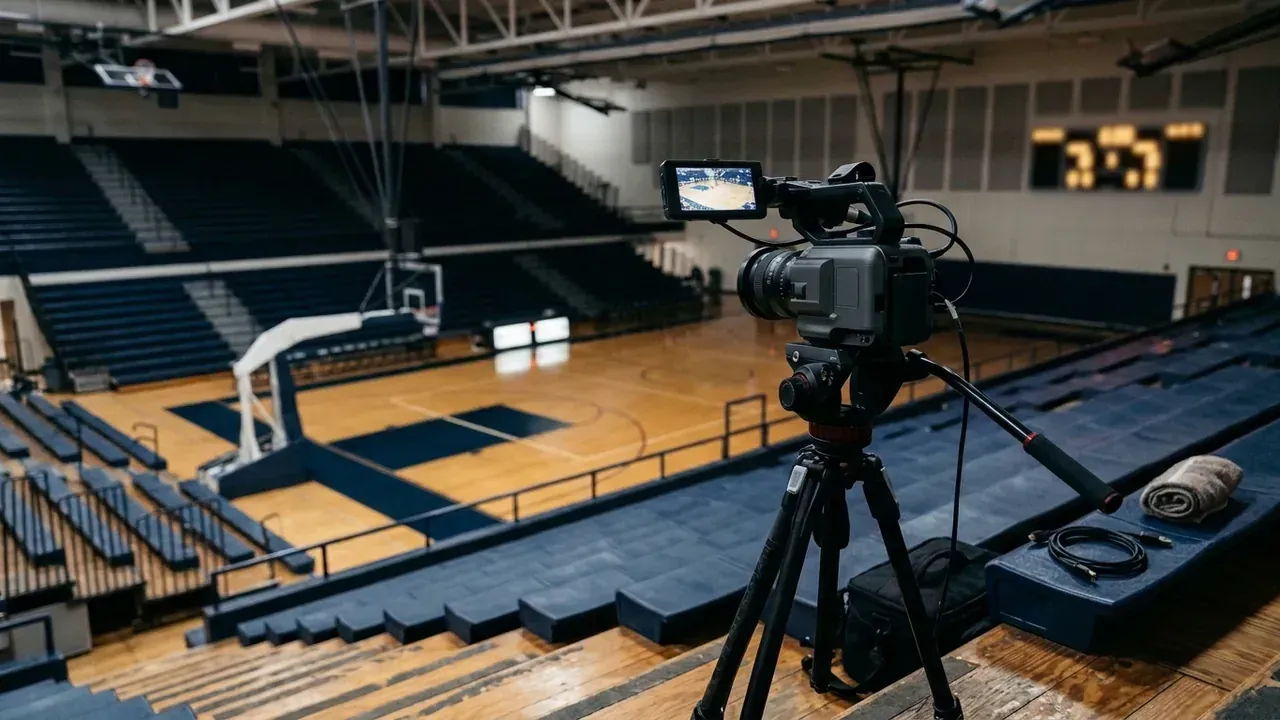
Why the score is the first thing viewers want
Someone who opens a game stream halfway through wants to know one thing: who is winning. A stream with no score makes them wait for a replay or the announcer to say it. A stream with a typed score is only as good as the volunteer typing it, and that volunteer is usually also running a camera, watching the game, or both.
The score is also the graphic that makes a school stream look like a broadcast rather than a phone in the bleachers. In our student broadcast program, scoreboard operator is a crew role of its own for exactly that reason.
High Score Live started from that picture. The founding brief for the app describes a small crew covering a high school basketball game that cannot film the game and keep the score at the same time. It also records that Aaron's first version, where an operator drew each part of the scoreboard on screen and then kept the numbers updated, never got past a rough prototype. The brief says that approach is the one to avoid at all costs, so the next version had to read the board itself.
Three ways to get the score on screen
| Method | How it works | What it costs the crew |
|---|---|---|
| Typed overlay | A scorekeeper updates a browser-source scoreboard such as KeepTheScore from any device | One person's full attention all game, and every slip goes out live |
| Scoreboard data connection | A device such as ScoreBird's NeST reads the scoreboard controller and feeds an overlay | A board with a controller the device supports, plus the device itself |
| Reading the board with a camera | A phone or webcam watches the scoreboard and software reads the digits | A phone on a tripod, aimed at the board |
Typed overlay, which works today
KeepTheScore's guide to streaming youth sports gives the steps: create a scoreboard, click Open Display Scoreboard, copy the display link into your streaming software as a browser source, then send the scorekeeper link to whoever keeps score. That link can change scores only, so a student can use it without touching the streaming computer. The guide says the free plan has no recurring cost and logos and team colors need a paid plan. Its streaming software page names OBS Studio, Streamlabs Desktop and vMix, and warns that StreamYard does not support browser sources.
Scoreboard data connection
ScoreBird says NeST "captures live data straight from your existing scoreboard controller," and its pages name Daktronics, Nevco and Fair-Play among the supported makers. Whether your board qualifies depends on its controller, and ScoreBird offers a free compatibility checker for that. We found no price on the pages we read, so ask. For a school on the NFHS Network, also read the next paragraph first.
A school that streams on the NFHS Network may get a scoring device with its camera system: the NFHS Network's school FAQ lists one, either Sportzcast or an OCR camera, among the hardware the Network provides. Ask before you buy anything.
Which method fits your gym
| Your situation | Start with |
|---|---|
| The Network supplies a scoring device | Use it and buy nothing |
| The board has a controller that a data device supports | The data connection, after the compatibility check |
| A spare student can watch the game and nobody wants new hardware | A typed browser-source scoreboard |
| A 7-segment LED board, a Windows PC and no spare person | Reading the board with a camera, which is what High Score Live does |
The typed overlay is where most volunteer streams start, and it is only as good as the person typing: that is the gap the third method closes.
How High Score Live reads the board
High Score Live reads a 7-segment LED scoreboard through a phone, webcam or IP camera: the scores, the clock and the period. It runs on a Windows PC and sends a clean score graphic into OBS Studio or vMix live production software, the two we have tested. Other streaming software that can show a browser source should work, but we have not tried Wirecast, Streamlabs or XSplit.
- It checks each reading before trusting it. A doubtful reading is held off the air instead of flashed on screen.
- The clock keeps running. It uses the camera to stay in step with the board, so a referee walking in front of the scoreboard does not stop it.
- It runs on your own network, with no account and no cloud service.
- No readable board? The operator can run the whole game by hand from the dashboard.
- Volunteer phones join as cameras by scanning one QR code, and a director view switches between them.
It works with basketball, football, soccer, hockey, and baseball or softball.
What two short football clips taught us
We tested High Score Live on two 11-second recordings of a real high school football scoreboard. The board read 20 to 6. An earlier version of the reader would have put 3-6 on the air at night and 2-6 at dusk.
The cause was in the recordings themselves. The phone's automatic exposure blew out the bright LED digits, so the small gaps that tell an 8 from a 0 were pure white. Requiring the reading to agree over several frames did not help, because the misread was the same in every frame.
So we changed how the reader decides. It now rates every digit it reads and keeps the last good score on the air when a reading is not clean. After two seconds unreadable, the operator sees a warning such as "Scoreboard Too Bright to Read", naming the fix. On Android phones there is a Darker button. An iPhone's browser cannot change exposure, so there the advice is to frame the board tighter. On both clips, no wrong home score reached the overlay.
Those tests were on recorded footage. We have not yet run it at a live game, and the clock is the part we most want to see there: its settings have not met a real referee's whistle.
What the first vMix test taught us
OBS was the first program we tested. When Aaron tried vMix on 09/26/2026, the overlay input stayed blank. vMix's built-in browser silently refuses the app's self-signed security certificate, a certificate that phones need so they can use their cameras. So the overlay and the score data are now also served on a second, plain local address, while the dashboard and camera pages stay secure. After that the scoreboard showed up in vMix and its data row updated live. OBS no longer needs a one-time certificate step either.
What you need
| You need | Notes |
|---|---|
| A 64-bit Windows PC | The one running your streaming software is fine |
| A readable 7-segment LED scoreboard | Frame it tightly and turn the camera's exposure down |
| A phone, webcam or IP camera | On a tripod, aimed at the board. Android phones can darken the picture from inside the app; on an iPhone, frame the board tighter |
| OBS Studio, vMix or similar | Any streaming software with a browser source |
High Score Live is sold in the United States and Canada.
Join the early-access list
High Score Live is in its final testing now. People on the early-access list are the first we invite to try it, with fifty dollars off. It takes a minute, and there is nothing to buy yet. See what High Score Live does.
Researched and drafted with AI, then reviewed and edited by the site's editors.