High school video production and live streaming
How a student-run broadcast department is built: three budget levels, how the student roles work, and how schools pay for it. The named gear, in buying order, is in the Program Blueprint.
Here’s a practical build-out for a student-led Live Stream Broadcast & Media Production Department, organized into three budget tiers. The recommendations follow the same emphasis as our guide to running a student-driven program: student roles first, live production, and a program that can start small and scale.
We can help you build it. What this page covers and what a plan for your school covers are different, and the difference is at the bottom.
Department structure
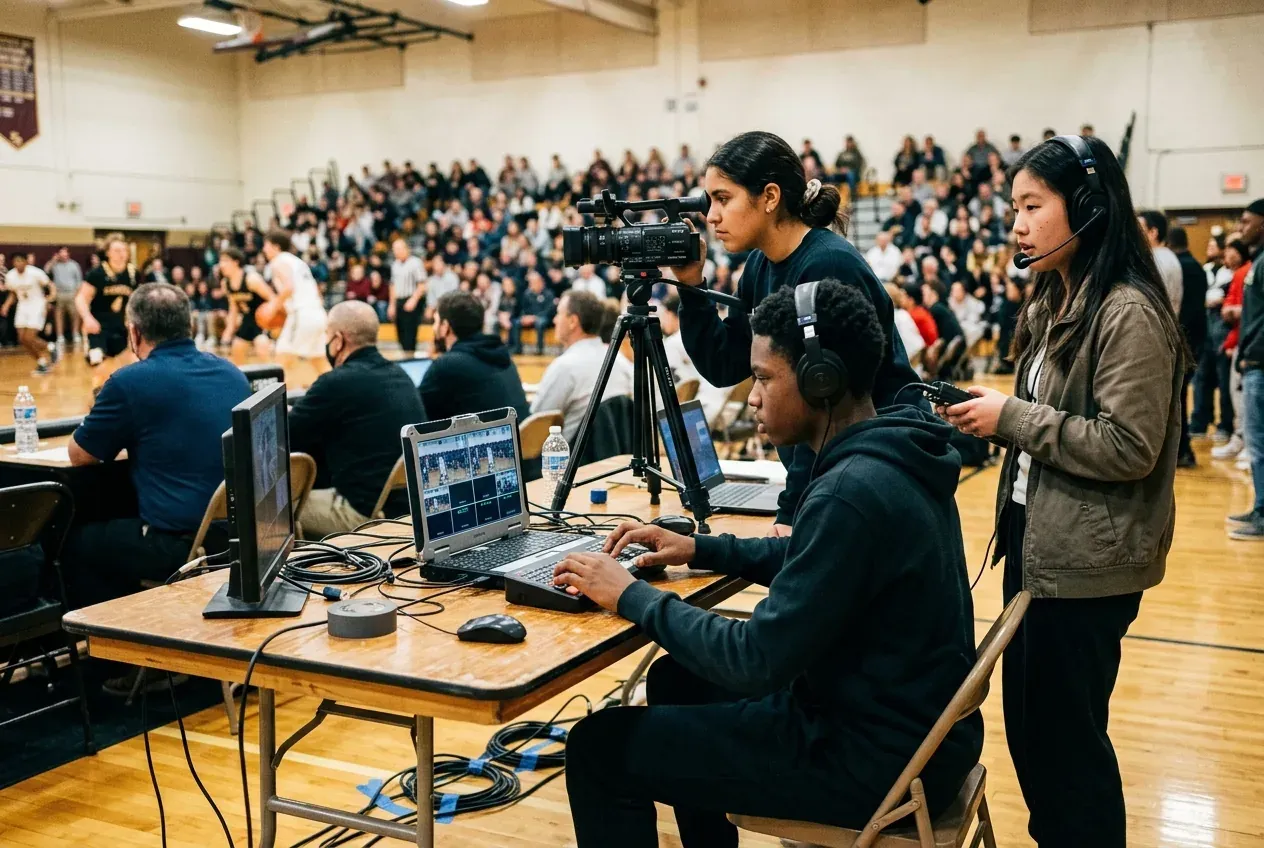
A strong school program usually has five parts: pre-production, field capture, live switching/streaming, editing/post, and distribution/archive. The article and related school-broadcast examples both emphasize assigning student roles such as producer, camera operator, editor, graphics operator, announcer, and social media or highlights staff. [youtube][nfhs]
For curriculum, I’d build around those roles so students rotate through every station and learn the full pipeline. That makes the equipment list easier to justify because each purchase supports a real workflow rather than isolated “tech toys”.[edutopia]
Production workflow and student rotation
- Pre-productionProducer, scriptwriting, rundown building, and equipment checks
- Field captureCamera operators, audio engineers, and floor managers
- Live switching & streamingSwitcher operator, graphics & lower thirds, audio mixer, and announcers
- Editing & postVideo editors, color correction, audio sweetening, and recap packages
- Distribution & archiveSocial highlights clipping, broadcast streaming, and media archiving
Student roles rotate across all five stages throughout the academic year so every student masters the full broadcast pipeline.
Three levels, and what each one lets a school do
Shoestring. This tier is meant for a department starting with limited funds, using consumer-friendly tools and a few rugged essentials. It can support morning announcements, short packages, simple live streams, and student training.[nfhs]
Mid-level production house. This tier is a strong sweet spot for a high school department that wants a legitimate studio and a capable live event team. It is the best balance of price, reliability, and student usability for most schools.[eschoolnews]
Top-level professional. This tier is for a flagship broadcasting department with multiple studios, full live sports coverage, student news, advanced postproduction, and a route toward broadcast-industry workflow. The school can support studio anchors, field crews, live switching, and ISO recording at a much higher level.[eschoolnews]
If you only remember one thing
Buy audio before cameras. A sharp picture with bad sound reads as amateur to every parent watching at home, and a soft picture with clean sound does not. It is the cheapest quality you can buy and it is the one most schools spend last.
The rest of the order is where schools go wrong, and getting it right for your level is what the Blueprint is for.
Which level fits your budget?
About how much could your school put toward video and audio equipment?
One question, not the whole plan. You can build the full plan afterward.
Shoestring
Starting with limited funds: consumer-friendly tools and a few rugged essentials.Enough for morning announcements, short packages, simple live streams and student training.
Under $5,000
Mid-level production house
A legitimate studio and a capable live event team.The best balance of price, reliability and student usability for most schools.
$5,000 to $15,000
Top-level professional
A flagship department: multiple studios, full live sports coverage and student news.Live switching, ISO recording and a route toward broadcast-industry workflow.
More than $15,000
The specific gear is in your plan
Named cameras, microphones, switcher and lights for your level, in the order to buy them, with where each one goes and what to check with your district first, are in the Program Blueprint. Start with the question above, or go straight to the free plan preview.
Learning curriculum
A good curriculum should map directly to the production workflow so students see why each tool matters. A simple structure is: pre-production, production, post-production, and live distribution, with weekly role rotation.[blog.playonsports][youtube]
Nine modules, from media literacy and scriptwriting to sports production, are laid out in your Program Blueprint and in the student crew handbooks.
Curriculum alignment
Equipment works best when each purchase supports a real learning outcome.
For student roles, rotate them through producer, director, camera, audio, graphics, technical director, editor, and field reporter. That way every purchase supports both instruction and actual broadcasts.[nfhs]
A walkthrough, until ours is ready
We are producing our own explainer for this, and it is not finished yet. In the meantime the video below covers much the same ground -- student roles, the production workflow, and what a school program looks like once it is running. It is somebody else's and it is a few years old now, but the shape of the thing has not changed and it is a good half hour.
How a student broadcast program works -- third-party walkthrough, one of the sources cited above.
How schools actually pay for this
The equipment is the easy half. What usually decides whether a program happens is not which switcher you pick -- it is where the money comes from, and that question tends to arrive after somebody has already fallen in love with a tier they cannot fund.
The common answer is a local business sponsor. It is an unusually good deal on both sides: a school gets a program, and a business gets attention from the parents, grandparents and neighbors of that school's students, watched deliberately for an hour at a time rather than scrolled past. Worth knowing the sponsor's side of that conversation before you open it, because a sponsor who understands what they are buying is a sponsor who renews.
Before you ask a business to fund it
Working out what your school actually needs?
The equipment is the part that scales to your budget. The department around it is the part that decides whether the equipment still gets used in two years.
Images of students and school scenes on this page are AI-generated illustrations, not photos of a real school.